Never think "where is it?" again.
- "The signed NDA from Danny."
- "The kids' vaccine certificate."
- "My bank's backup codes."
Say what it is — Stasher finds it, whichever app it came in.
 Stashersearching…
One file. Any account. Just ask.
Gmail, Outlook, Google Drive, Dropbox — your documents live in different places. Stasher searches all of them at once, so you ask in plain language and the right file appears, no matter which account it lived in.
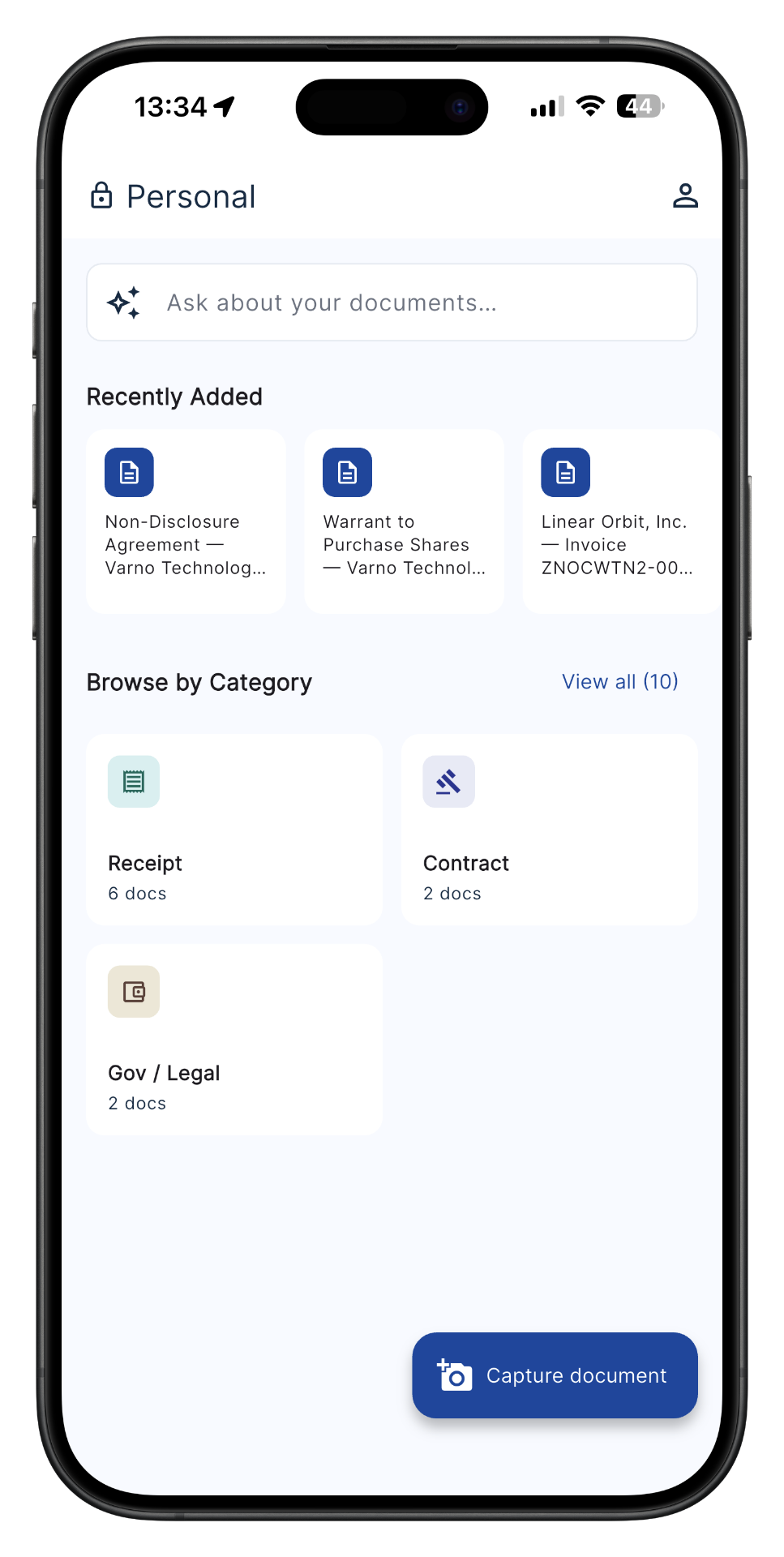
Three Simple Steps
Connect Your Accounts
Link Gmail, Outlook, Google Drive, and Dropbox in one tap. Stasher reaches everything you already have — no uploading, no moving files.
Stasher Reads Everything
In the background, Stasher reads and understands every document and email — what's inside, not just the filename. No tagging, no folders.
Just Ask
Months later, when you need something, ask in plain language — 'the signed contract from March', 'the rental contract from last year' — and it's there, from whichever account it lived in. Even a vague memory is enough — 'that thing from the bank, sometime last spring' still finds it.
Got paper documents too? Snap a photo and Stasher files those the same way.
Stash from anywhere
Documents don't just live in the cloud. They arrive as paper, as photos, as messages. Stasher catches them all — so nothing gets lost again.
Connect your accounts
Gmail, Outlook, Drive, and Dropbox. Link once and Stasher indexes everything already there.
Snap a paper
A receipt, a contract, a letter. Take a photo and Stasher files it and makes it findable — instantly.
Share from WhatsApp
The quote your contractor sent, the quote in a chat. Share it straight into Stasher before it disappears in your message history.
However it reaches you, it lands in Stasher — and you'll find it just by asking.
It even reads your email.
The contract buried in a Gmail thread. The contract attached three emails deep. Stasher finds those too — most tools can't see your inbox at all.
Works With Your Existing Tools
Connect once. Stasher indexes your files, emails, and attachments automatically.
Gmail
Search emails and attachments by content, sender, or topic.
Google Drive
Index your Drive files without moving or re-uploading them.
Dropbox
Connect your Dropbox folders and make every file findable.
Outlook
Search your Outlook emails and attachments the same way.
More integrations coming soon.
Get it once. Never chase it again.
You already did the work to get these. Stasher keeps them ready — so you never re-fetch, re-download, or re-ask.
The bank statement I had to go get in person — I needed it again and again for forms. Now it's just there.
The approval document my clients keep asking for, that I used to re-download from a government site every time. Now I ask, and send it.
The tax certificate I used to message my accountant for on repeat. Now I just ask Stasher.
The backup codes I hoped I'd never need — stashed once, one question away if I ever do.
Built so you
never worry.
Reads Everything
Passports, leases, prescriptions, school records, insurance policies, warranties, backup codes. Any format, instantly understood.
Natural Search
Ask in plain language. No folders, no filenames, no friction. Just answers.
Your Control
Your documents are used only to answer your questions. You decide who sees what, always.
Zero Friction
Connect once and forget. Stasher keeps everything findable automatically, across all your accounts.
Built so you
never worry.
Reads Everything
Passports, leases, prescriptions, school records, insurance policies, warranties, backup codes. Any format, instantly understood.
Your Control
Your documents are used only to answer your questions. You decide who sees what, always.
Natural Search
Ask in plain language. No folders, no filenames, no friction. Just answers.
Zero Friction
Connect once and forget. Stasher keeps everything findable automatically, across all your accounts.
Your documents stay yours.
We never train AI on your data. We never sell your data. We share it only with the service providers needed to run Stasher. Your documents are used only to answer your questions — and you can delete anything, anytime.
- Never used to train AI
- Never sold, shared only to run Stasher
- Delete anything, anytime
- Designed with privacy in mind
Stop losing documents.
Connect your accounts in two minutes. Every new account starts with 14 days of full Pro - free, no card.
No credit card needed. Free early access - limited to 100 people.
Questions?
Yes. Stasher connects directly to Gmail, Google Drive, Dropbox, and Outlook. Link your account once and Stasher automatically indexes your files and emails. No uploading needed.
Email body text is processed for search and immediately discarded. With your consent, we keep a brief AI summary and a PDF preview for in-app access. Attachments are stored separately if you consent.
Solopreneurs, freelancers, and small business owners drowning in scattered documents who want them findable in seconds.
PDFs, images (JPG, PNG, HEIC), Word docs, spreadsheets, screenshots-pretty much anything.
Stasher reads and understands your documents, so you can ask questions in plain language. No filenames or folders required.
Yes. Your documents are private and securely stored. We never train AI on your data. We never sell your data. We share it only with the service providers needed to run Stasher. You can delete anything, anytime.
You start with 14 days of full Pro, free. After that you keep a free plan, or upgrade to Pro - plans are on our Pricing page, with a founding price for early-access members.
Tap Open Stasher and create your account. Early access is free and limited to 100 people. Every new account starts with a 14-day Pro trial - no card needed.
Yes, cancel anytime. No contracts, no commitments. After the trial you are moved to the free plan automatically - nothing is deleted.